
Add a deposit to a product
Deposits are reserved (not charged) at checkout and held for a limited time.
Open the product you want to add a deposit to.
Under "Pricing" you add the daily price, the deposit amount, and the VAT (if applicable)
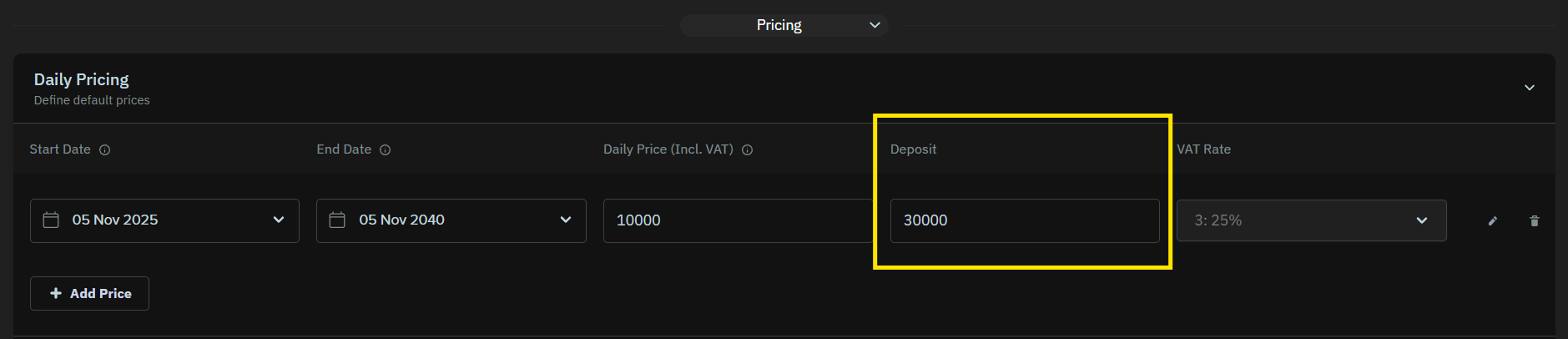
When a deposit is enabled, an amount is also reserved on the customer’s card. This is not a charge — the money is not taken, but temporarily held and reduces the customer’s available balance.
The deposit works just like when you use a hotel or rental car. When ordering, an extra amount is reserved on the card for a small security against damage or late return. Once the product is returned, you can check it and charge the deposit if necessary.
The deposit is shown as "Deposit" in the shopping cart / checkout.
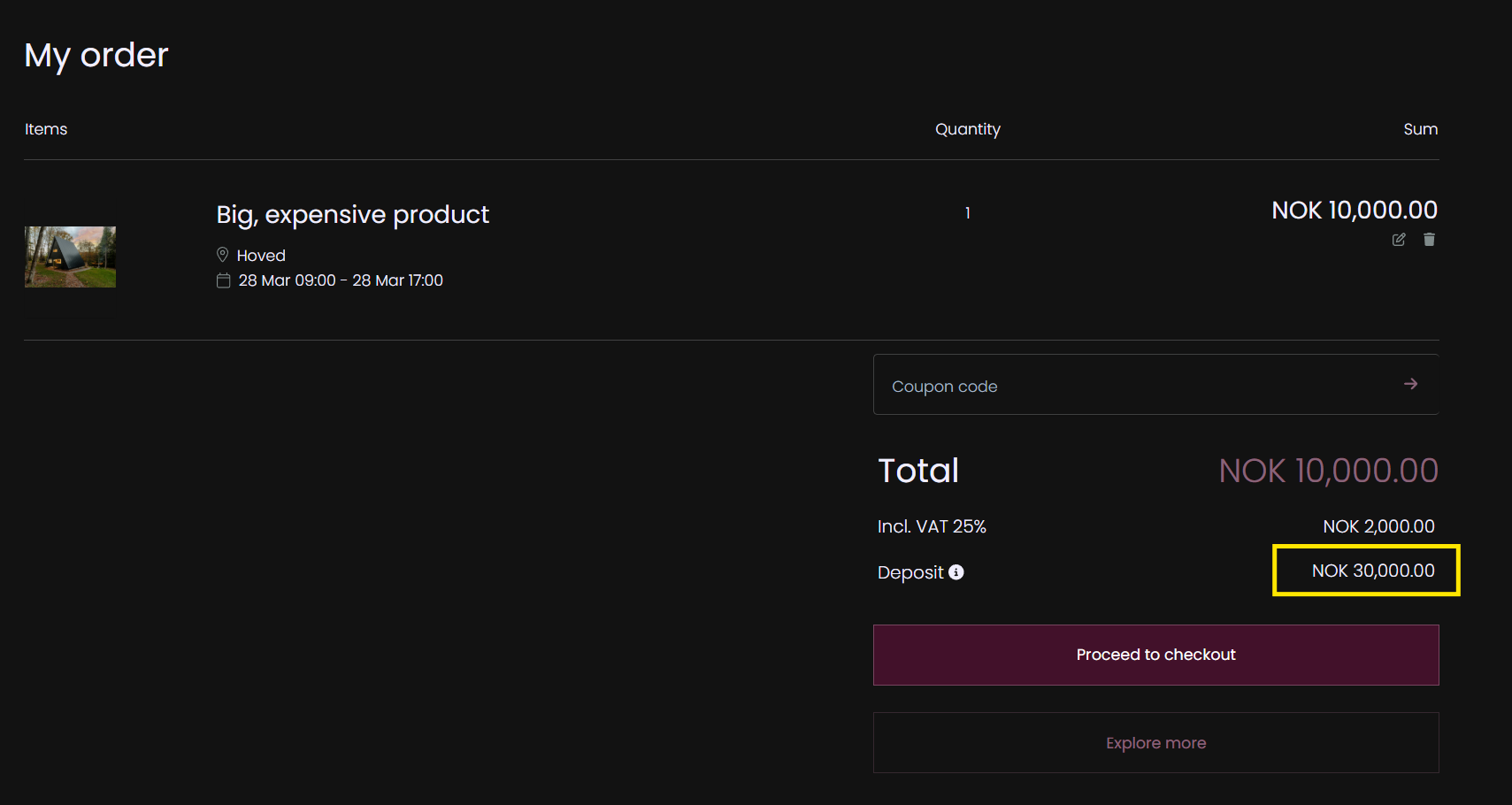
How long is the deposit held?
- Stripe will hold the deposit for 7 days from the order payment date
- Nets will hold the deposit for 30 days from the order payment date
- The deposit is automatically released when the time is up
If your customers book far ahead you may want to start the deposit period closer to the pickup time so that it covers the actual rental period. In that case you can use this workaround instead: Set up a workflow with order tags and notification