
How to fix the Powered by Sharefox attribution
This article explains how to fix the "Powered by Sharefox" attribution if it is showing in the wrong place in or below your custom footer.
If the attribution is floating to the right of your content
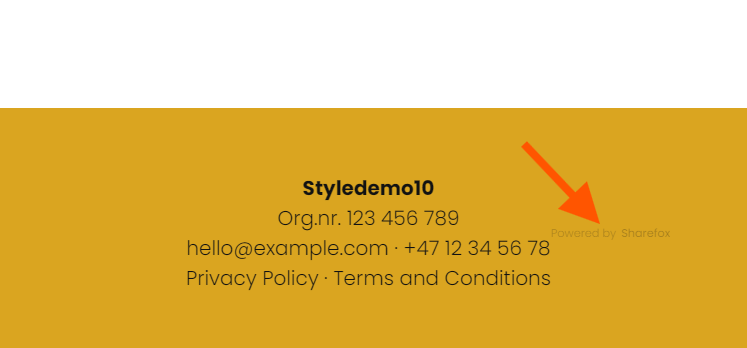
Make sure your content is using the full width of the footer, or, if you are using flex, just add a flex-direction: column; on the footer to push the attribution below your content.

Example:
<style>
footer {
  display: flex;
flex-direction: column;
  min-height: 200px;
  justify-content: center;
  align-items: center;
  text-align: center;
}
</style>
If the attribution is showing in a white stripe or band under your footer

To remove the white stripe under your footer, make sure you style the footer itself, not just the div that has your content.

Example:
<style>
footer {
background-color: #123d2a;
color: goldenrod;
</style>
Full example with flex:
<style>
footer {
background-color: #123d2a;
color: goldenrod;
  display: flex;
flex-direction: column;
  min-height: 200px;
  justify-content: center;
  align-items: center;
  text-align: center;
}
.big-toe {
padding: 40px 30px 20px 30px;
width: 1200px;
}
</style>
<div class="big-toe">
Your content
</div>